Mechanical8 keyboard sounds
Switches from deep and muted to bright and clicky.
- Bright Clack
- ClickyFree
- Creamy
- Crisp Thock
- Deep Thock
- Linear ThockFree
- Soft MembraneFree
- Tactile
A menu bar app for Mac
TickThock plays a sound each time you press a key or click the mouse, anywhere on your Mac. Choose a mechanical switch, a typewriter or something sillier, and hear each key from where it sits on the keyboard.
Free to download, for macOS 14 or later. TickThock Pro is a one-time purchase.
Sounds
Every sound can be previewed, including the Pro ones, so you hear what a pack is like before you pick it. Each press is varied a touch in pitch and loudness, so a run of keys never sounds like one clip on repeat.
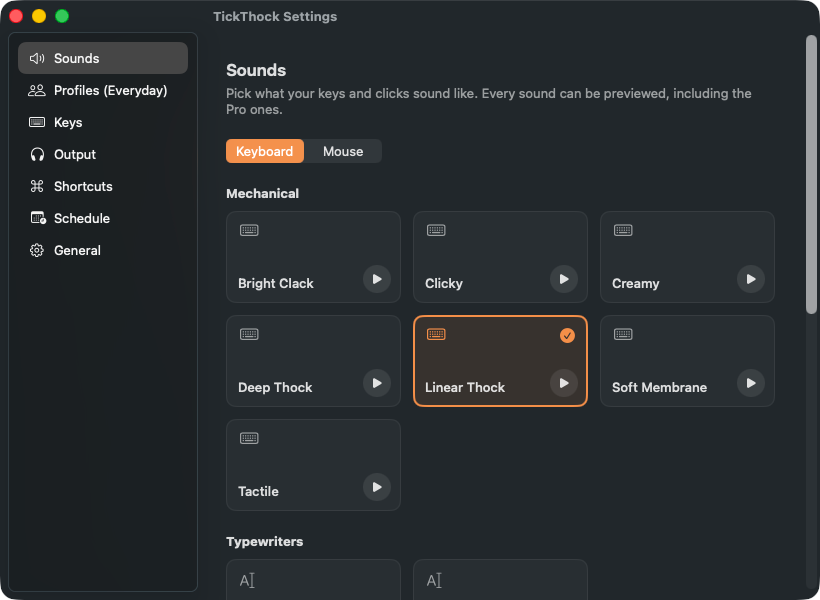
Switches from deep and muted to bright and clicky.
A manual typewriter, typebar striking the platen on every key.
Blips and tones, for a keyboard that sounds like a machine.
Nothing like a keyboard at all.
A sound for every click, left, right or other.
Amber keys are free. Every other sound comes with TickThock Pro.
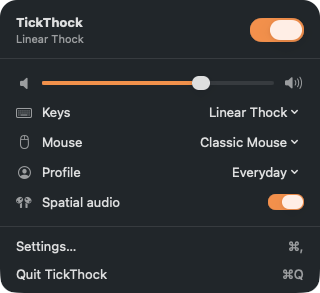
Spatial audio
With spatial audio on, a key on the left of your keyboard sounds from your left, and a key on the right from your right. The space bar sits near the middle, and mouse clicks to the right of centre, about where the mouse is.
It works on speakers and is best on headphones. It is free, and you can turn it off in the menu.
Settings
Keep it quiet for the room, change the sound for different work, or let it switch itself off after hours.
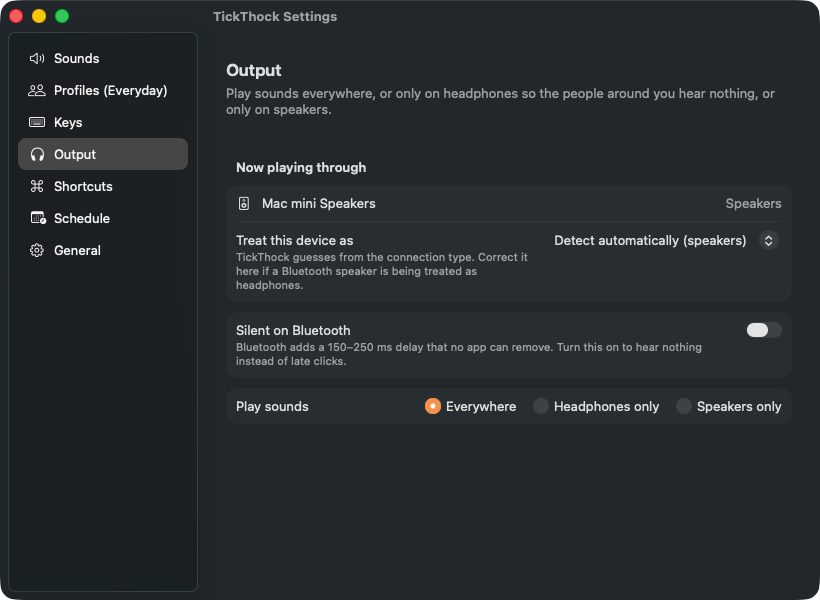
TickThock knows whether you are on headphones or speakers, so it can play only in your headphones and nobody around you hears a thing, or only on speakers.
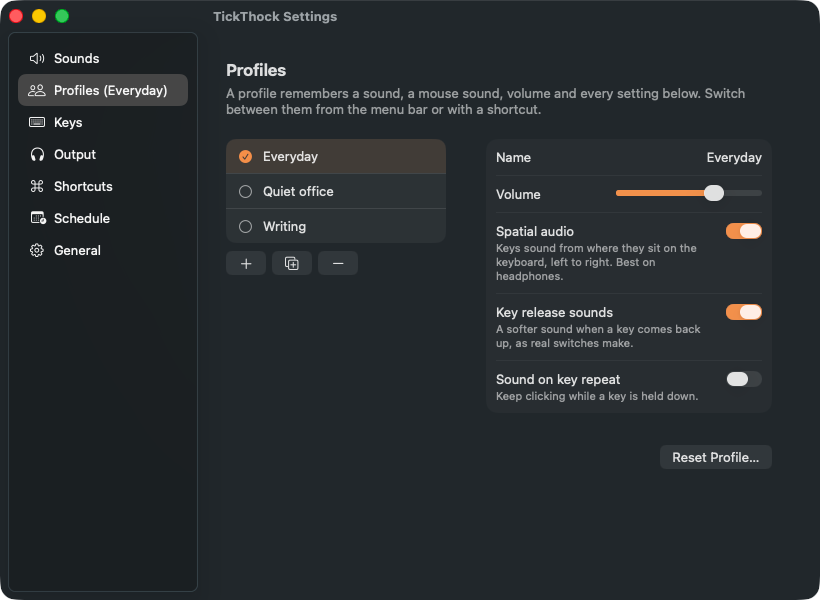
A profile remembers a keyboard sound, a mouse sound, the volume, spatial audio, which keys make sound and where it plays. Keep one for writing and one for a quiet office, and switch from the menu bar or with a shortcut.
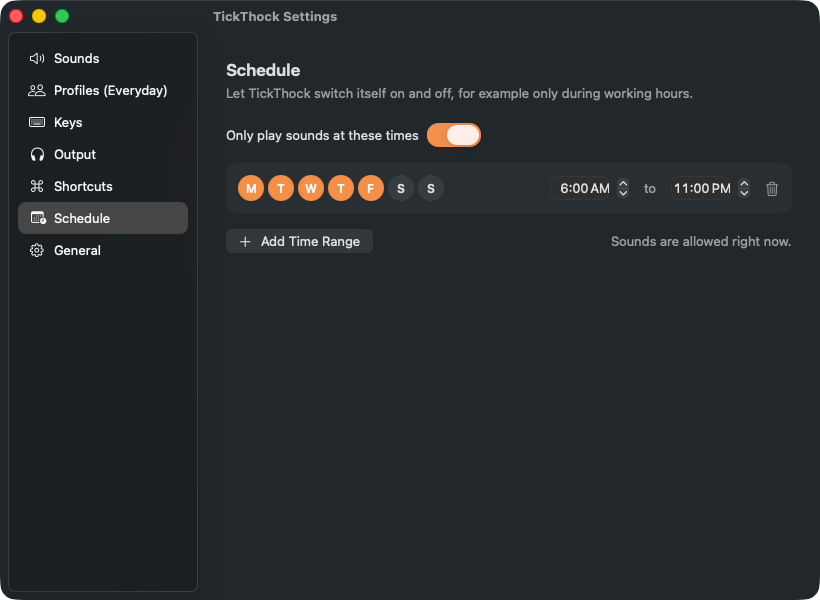
Let TickThock turn itself on and off, for example only during working hours. A time range can run past midnight.
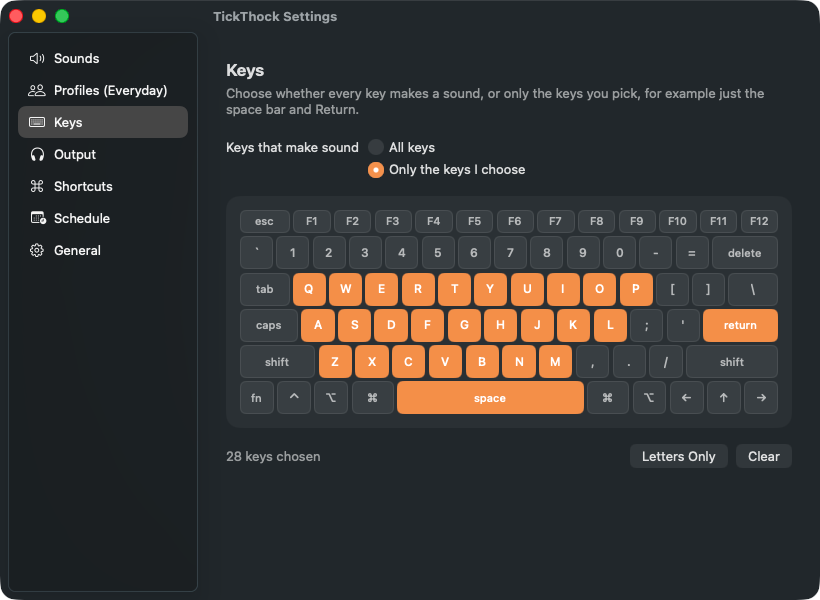
Have every key make a sound, or pick just a few on a picture of the keyboard, for example only the space bar and return.
Free and Pro
The free version is not a trial: 3 keyboard sounds, Classic Mouse, spatial audio and the menu bar controls, for as long as you like. TickThock Pro is a single purchase that unlocks everything else, for good.
| Feature | FreeFree download | ProUSD 3.99, once |
|---|---|---|
| Keyboard sounds | 3 sounds | All 15 |
| Preview any sound before you choose it | Included | Included |
| Spatial audioKeys sound from where they sit, left to right | Included | Included |
| Menu bar controlsOn and off, volume, and sound | Included | Included |
| Silent on Bluetooth | Included | Included |
| Session length | 30 minutes, then resume with one click | No limit |
| Mouse click sounds | Classic Mouse | All 3 |
| Import your own sounds | Not included | Included |
| Pitch tuning, saved as new sounds | Not included | Included |
| Profiles | 1 | Unlimited |
| Headphones-only or speakers-only | Not included | Included |
| Global keyboard shortcutsToggle sound, volume up and down, next profile | Not included | Included |
| Scheduled on and off | Not included | Included |
| Choose which keys make sound | Every key | Included |
| Open at login | Not included | Included |
Privacy
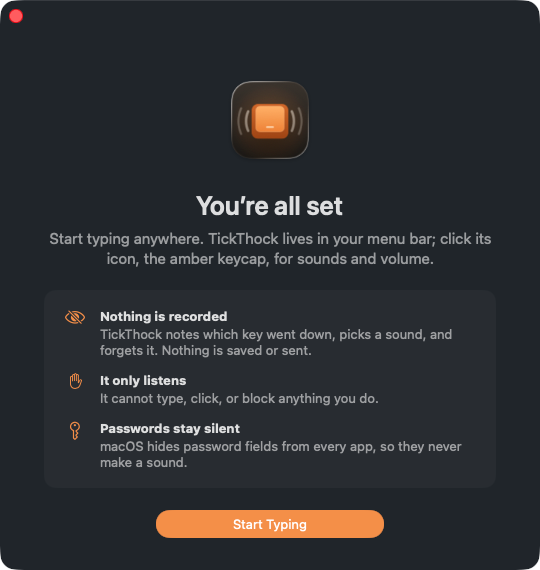
To make a sound for each key, TickThock needs to know a key went down. That is all it uses it for.
TickThock is free to download, for macOS 14 or later. Start with 3 keyboard sounds, Classic Mouse and spatial audio; unlock the rest whenever you like.